Spot guides
Sentosa Photoshoot Guide: Best Beaches for Photos
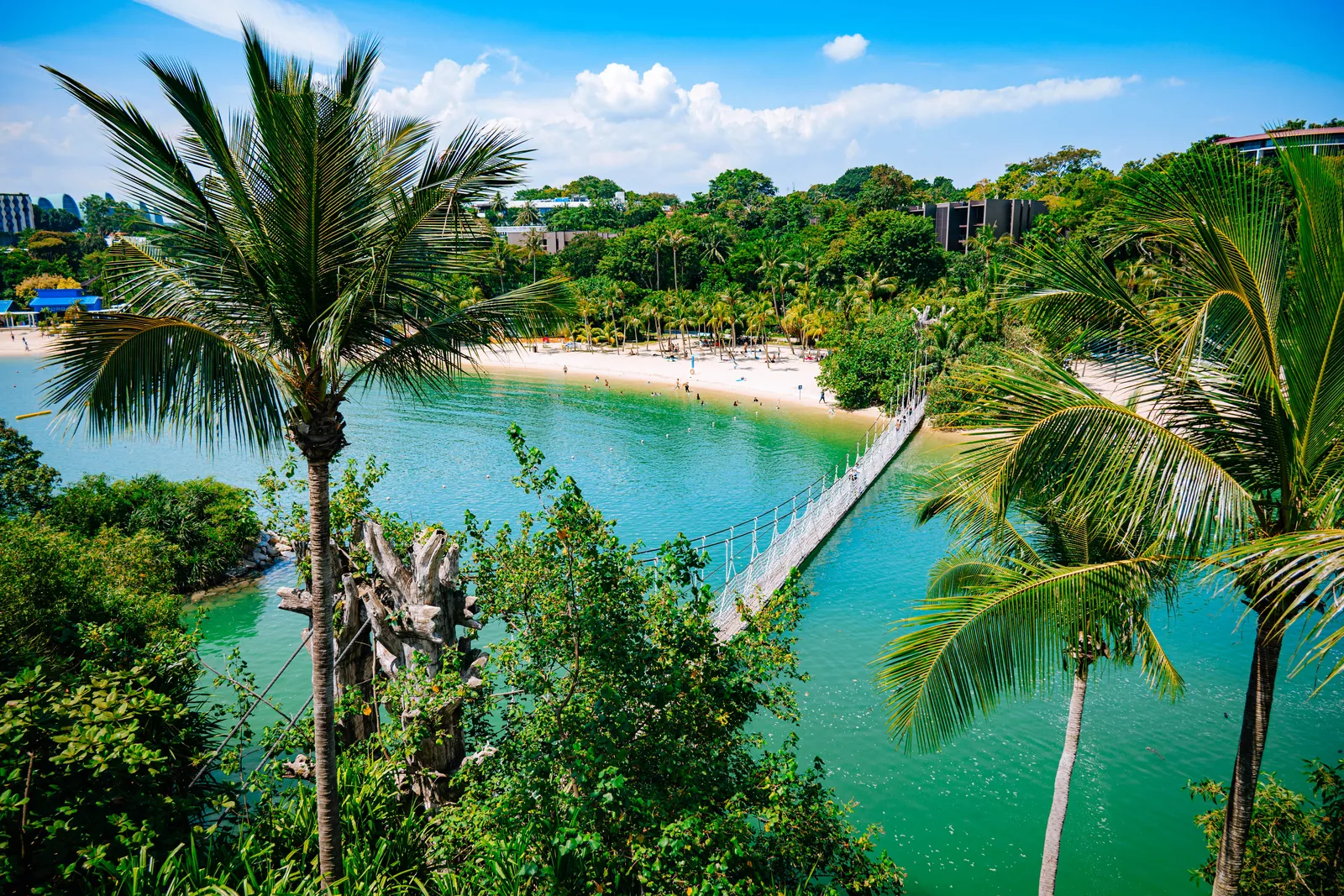
Sentosa is Singapore’s island playground: palm trees, soft sand, turquoise lagoons and a proper holiday feel, just 15 minutes from the city. If you want beach photos in Singapore, this is the easiest place to get them.
This guide compares the best beaches on Sentosa for photos, explains when the light is best, and shares what to wear so your photos look like a tropical holiday.
Sentosa photoshoot: quick guide
- Getting there: HarbourFront MRT → VivoCity → Sentosa Express monorail, or walk across the Sentosa Boardwalk (about 15 minutes)
- Best time: from about 3:30pm until just after sunset
- Cost: the beaches are free
- Time needed: 2 hours for one or two beaches; half a day if you also visit attractions
- Best for: couples, honeymooners, families, birthdays and solo portraits
- What to wear: white, cream, light blue, linen, flowing dresses and resort wear
Why Sentosa is great for photos
Singapore is a city, but Sentosa feels like a resort island. The beaches are lined with coconut palms, the water in the lagoons is calm and often properly turquoise, and there are wooden bridges, rocks and beach bars for variety. It’s the place to go if you want your Singapore photos to include a bit of holiday by the sea.
Best photo spots on Sentosa
1. Palawan Beach and the suspension bridge
Palawan Beach is my favourite on Sentosa for photos. It has a curved sheltered lagoon, palms leaning over the sand, and a rope suspension bridge leading to a small island, which was long called the “southernmost point of continental Asia”. From higher ground nearby you get a postcard view over the whole lagoon.
2. Palm trees on the sand
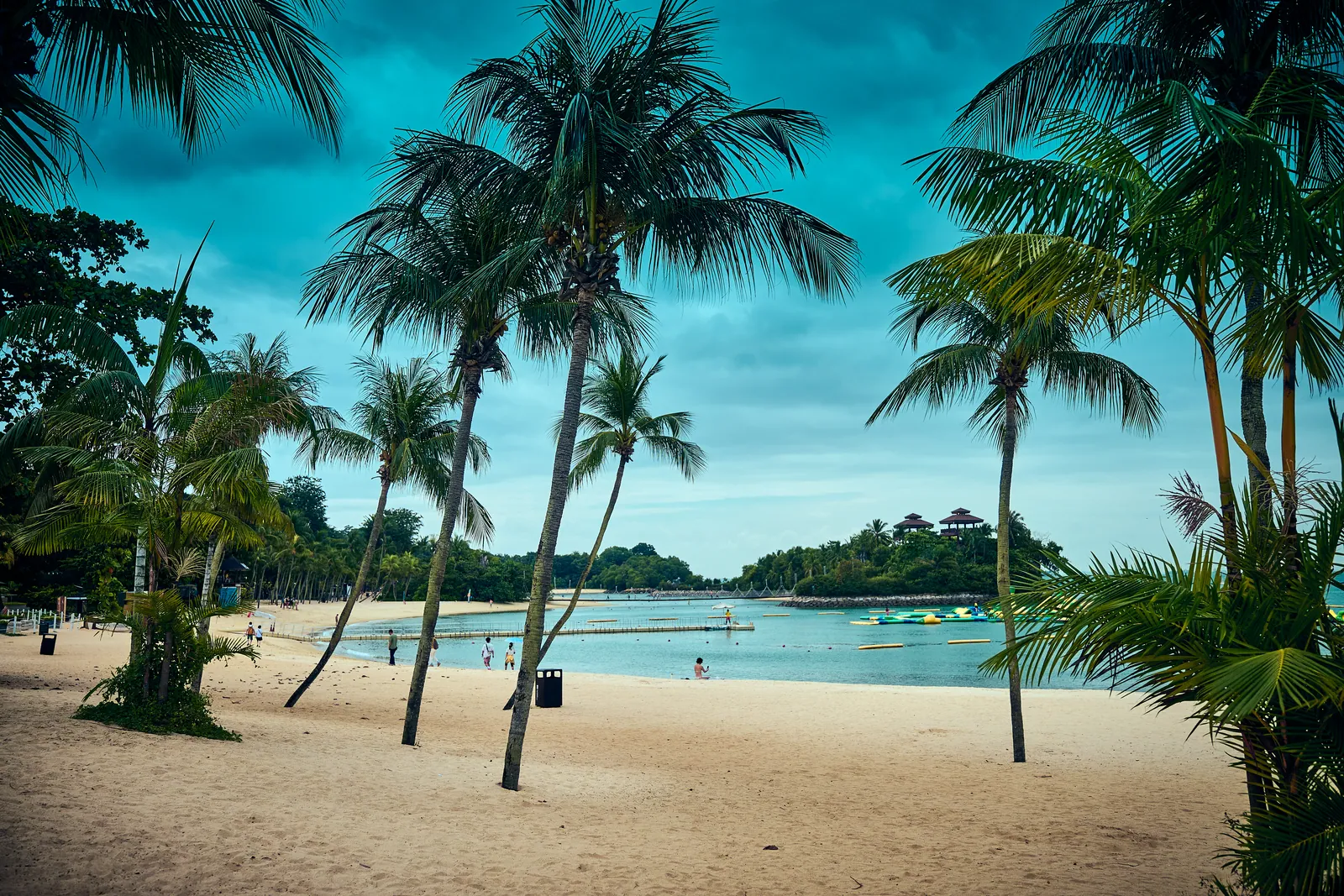
Walk along the beaches and look for palms leaning over the sand. Tall trunks against the sky make a strong tropical frame, whether you stand beneath them or walk between them.
3. The water’s edge
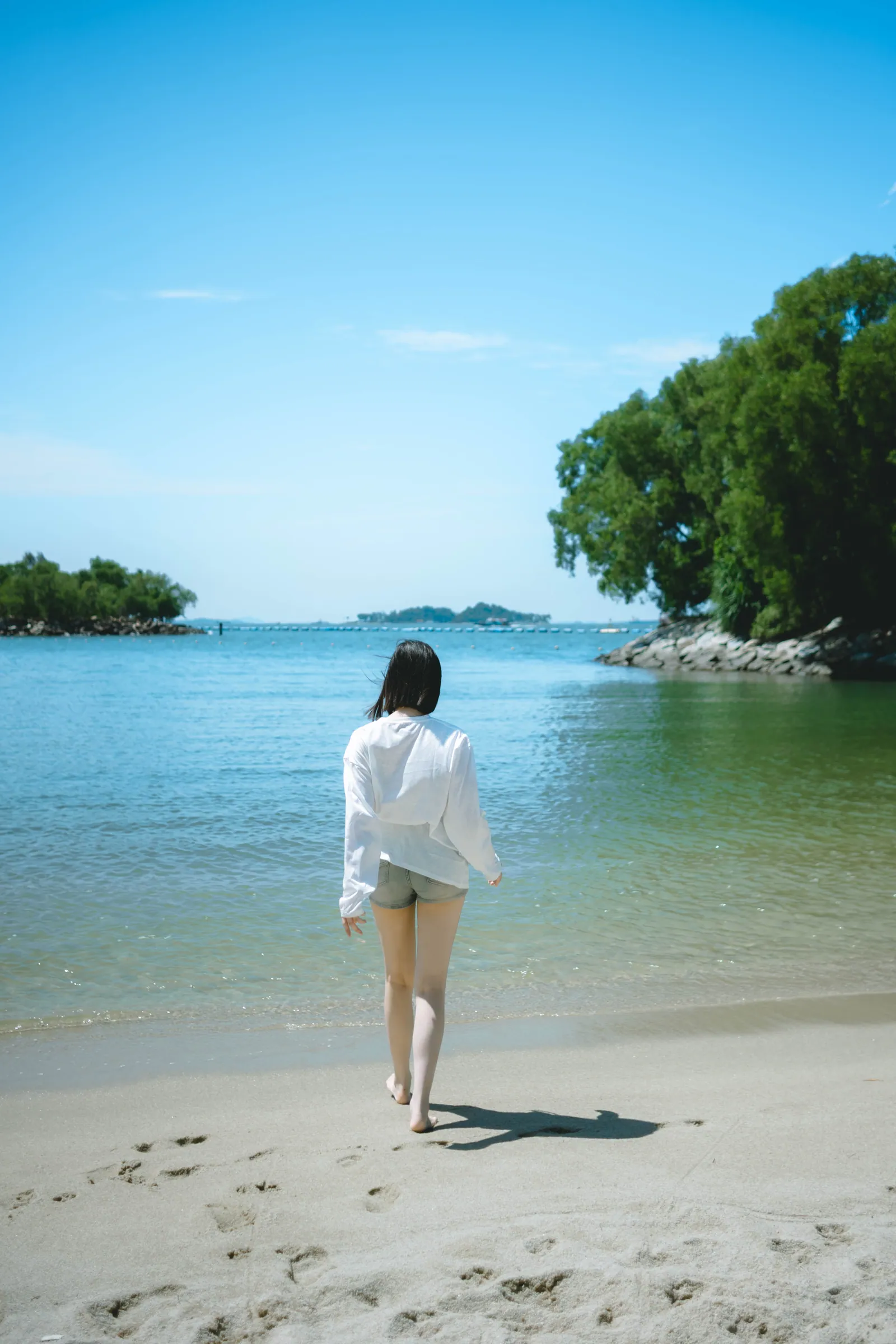
The simplest beach photo is often the best: walking into the calm water, a loose white shirt catching the breeze, a small island on the horizon. The water in the lagoons is gentle, so it’s easy to wade in.
4. Rocks and breakwaters
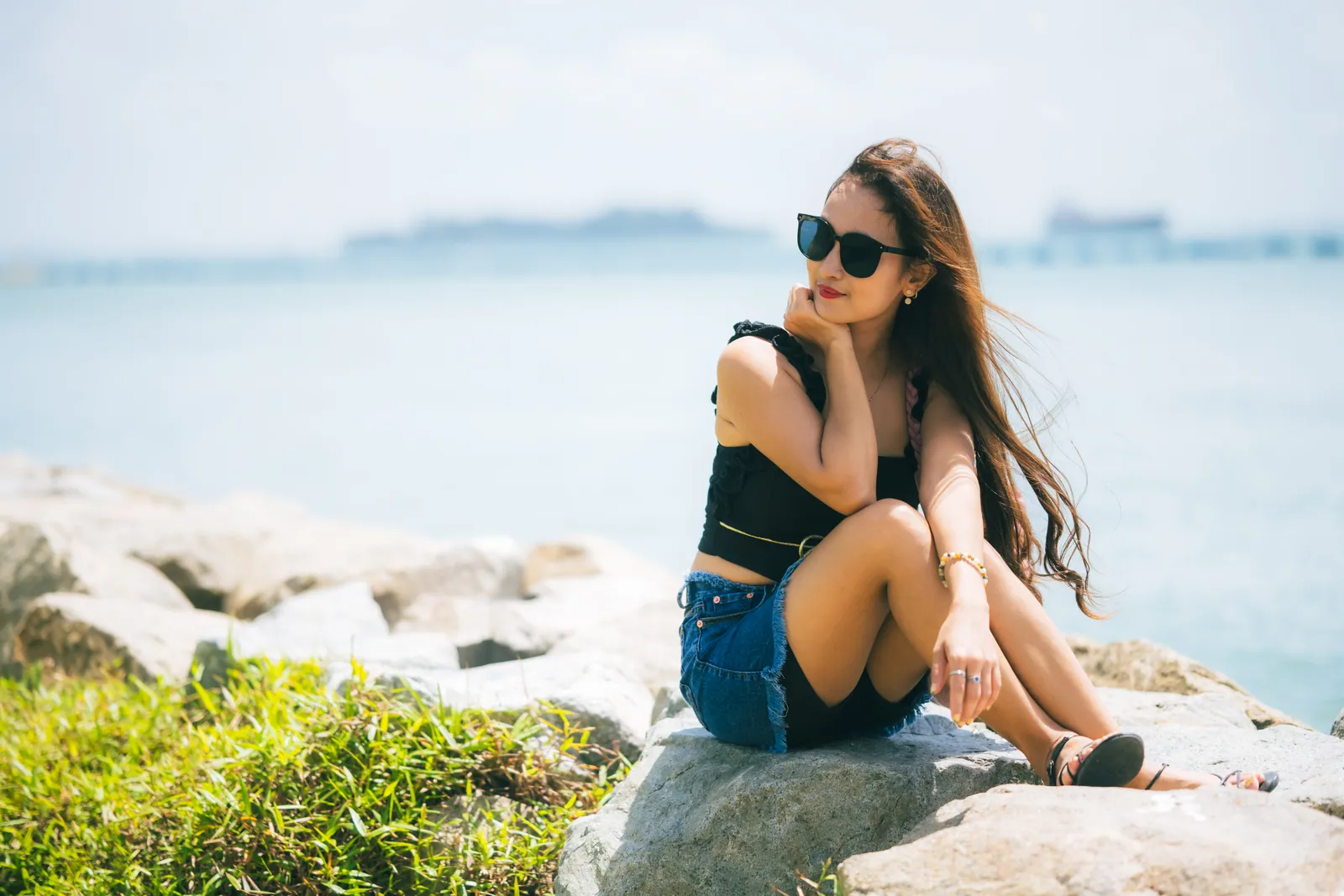
The rocky breakwaters between the beaches give you somewhere to sit, with the sea and passing ships in the background. They’re good for relaxed, candid portraits.
Which beach should you choose?
- Siloso Beach: the liveliest, with beach bars, volleyball and activities. It faces west, so it’s great for sunset, but busier.
- Palawan Beach: the most family-friendly and the most “postcard”: lagoon, palms and the suspension bridge.
- Tanjong Beach: the quietest and most laid-back, with a chic beach club feel. Good if you want fewer people in the background.
The Sentosa beach tram and the walking paths along the coast connect all three, so we can easily shoot two beaches in one session.
Best time for a Sentosa photoshoot
Late afternoon to sunset (3:30pm onwards). The midday sun on white sand is harsh and very hot. From about 3:30pm the light gets softer and warmer, and the last hour before sunset gives golden backlight on hair and the water. Stay for blue hour after sunset for a softer, dreamier mood.
Morning. Quiet beaches and soft light, and a good choice if you want empty sand in the background.
Weather. Tropical showers are common but usually pass quickly. A cloudy day is actually fine for portraits; the light is soft and even.
What to wear
- White, cream and light blue are classic beach colours and look great against sand and sea
- Linen, flowing dresses and loose shirts move in the sea breeze
- Straw hats and sunglasses feel like a holiday and help in the sun
- Couples: coordinate in similar tones, like white and beige or white and light blue
- Sandals or bare feet — heels don’t work on sand
Tips for better photos
- Use movement. Walking in the shallow water, spinning, holding your hat in the wind. Movement looks natural; stiff poses on a beach look awkward.
- Use the shoreline as a leading line.
- Mind the heat and humidity. Bring water, sunscreen and a small towel.
- Keep your phone and camera away from sand and splashes.
For photographers: a 24mm or 35mm for wide beach scenes, an 85mm for backlit portraits at golden hour, and a 24–200mm to catch candid moments from a distance.
A simple photo route
Beach Station → Siloso Beach → walk or tram to Palawan Beach and the suspension bridge → Tanjong Beach or back to Siloso for sunset
Visiting Universal Studios the same day? Read my Universal Studios Singapore photo guide too. And if you’d rather stay closer to the city, East Coast Park is another good beach option.
FAQ
Which Sentosa beach is best for photos? Palawan Beach for the classic lagoon, palms and suspension bridge; Siloso for sunset and a lively atmosphere; Tanjong if you want it quiet.
What is the best time for beach photos on Sentosa? From about 3:30pm until just after sunset, when the light is soft and warm and it’s not too hot.
How do I get to Sentosa? Take the MRT to HarbourFront, then the Sentosa Express monorail from VivoCity, or walk across the Sentosa Boardwalk.
Book a Sentosa photoshoot
- S$200 for 2 hours, with as many spots as we can fit in
- Beach photos on Sentosa, or combine with your Universal Studios day
- 50% deposit to book, balance paid after the shoot, and photos sent to you on the spot
See how a Singapore photoshoot works, browse more travel portraits, or send me a message with your dates.
New stories in your inbox
A short email when I post a new photo story or Singapore photo spot guide. About once or twice a month, no spam.
Unsubscribe anytime with one click.